
Know when to start getting ready — not just when to leave.
You had plenty of time. Until suddenly, you didn't.
Stop rushing. Arrive calm.
Maps tells you when to leave. ArriveCalm tells you when to get ready.
ArriveCalm works backwards from where you need to be: when to start getting ready, when to walk out the door, and what has to happen in between.
Set up your first plan in under a minute.
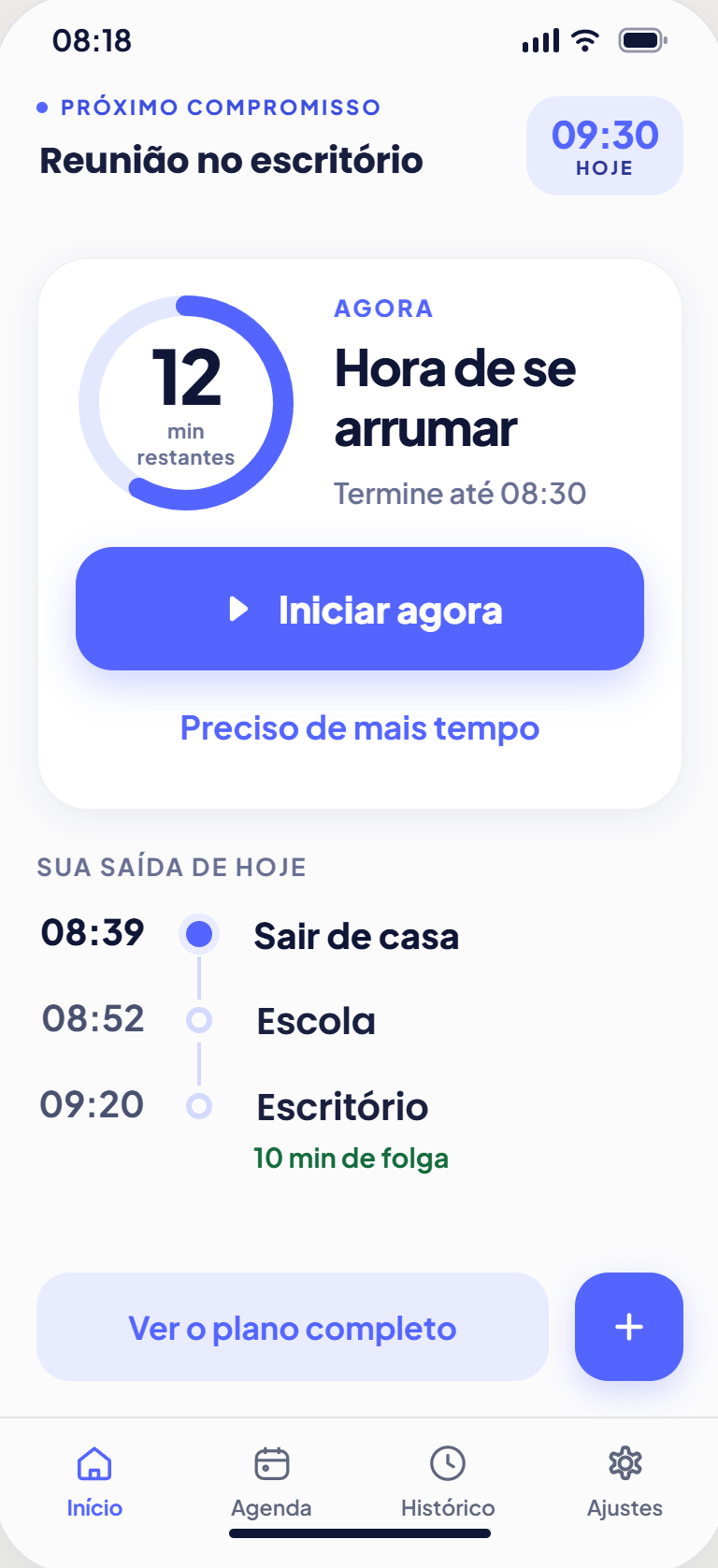
You had plenty of time. Until suddenly, you didn't.
Nothing went wrong, exactly. You just kept doing one more thing — and the time you thought you had was never really there.
You didn't need another alarm. You needed a plan that starts earlier.
Maps knows the traffic. It doesn't know you're still in pajamas.
Your apps aren't wrong — they answer a later question. The rushing happens before any of them start counting.
Maps starts counting when you're already in the car. ArriveCalm starts counting while you're still on the couch.
Three steps. Then it just tells you when.
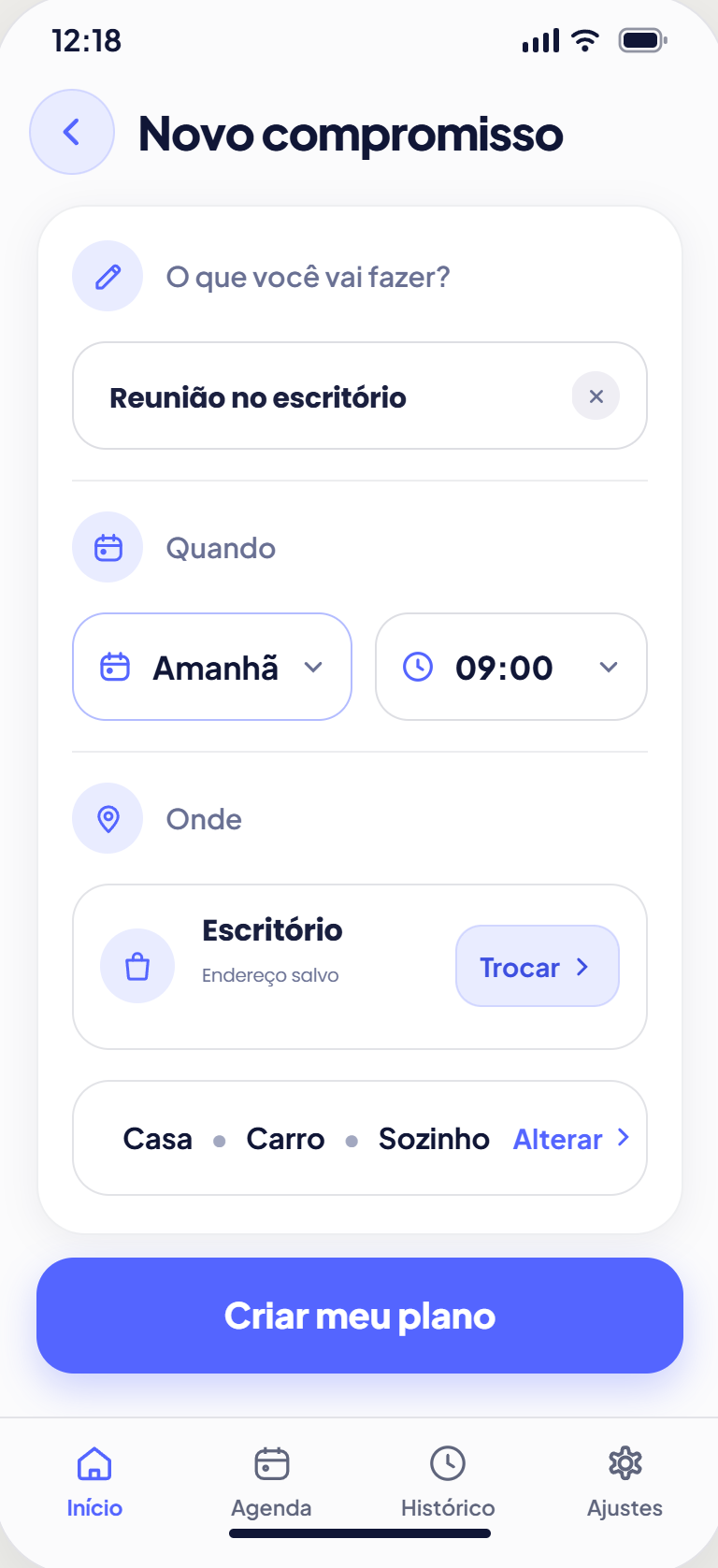
Say where you need to be
Appointment, work, school run, dinner, airport. Pick the time and a saved place.
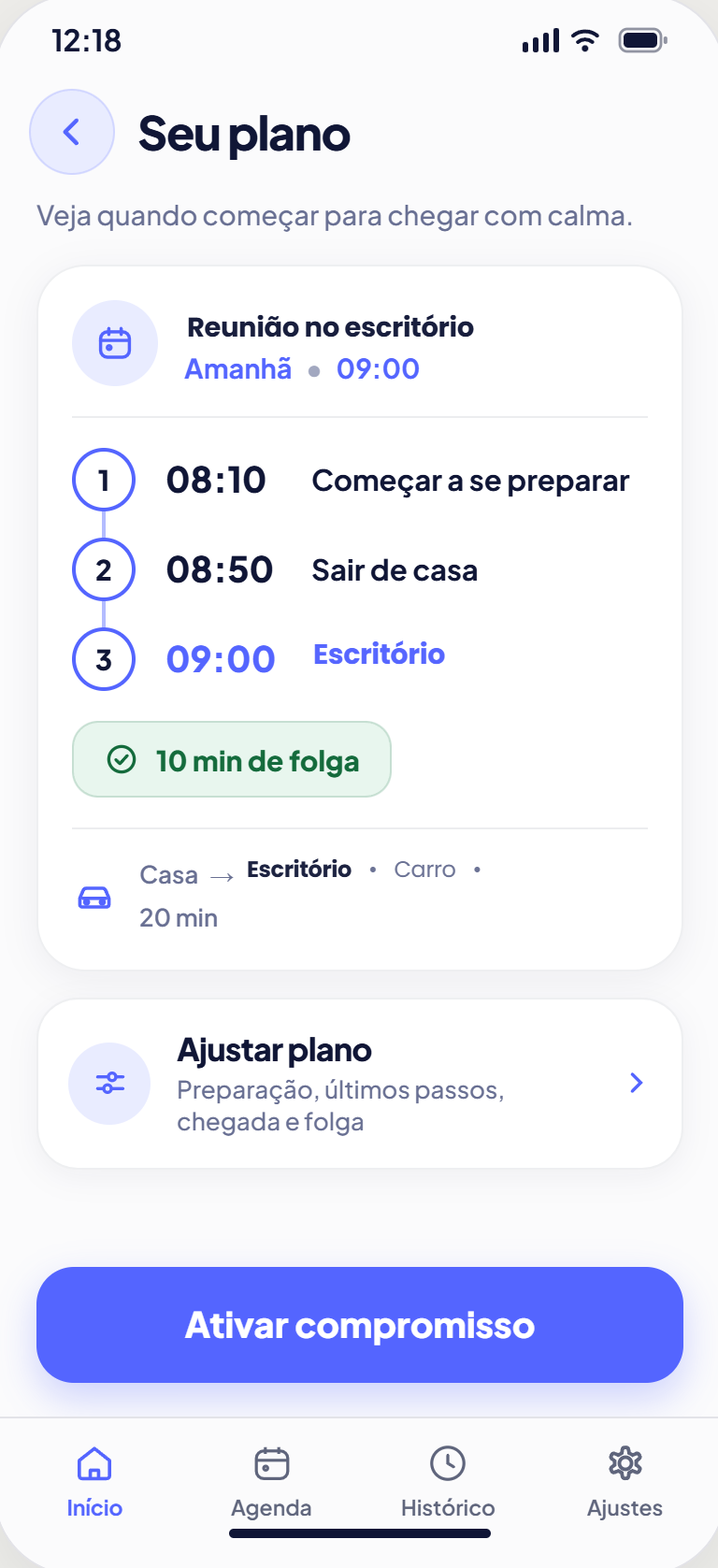
ArriveCalm plans backwards
Travel time, parking, slack on arrival, last steps before the door, and how long getting ready actually takes you.
Start when it actually matters
One nudge at the moment that decides the whole morning — before “I still have time” turns into “I'm late.”
Every departure has a part nobody schedules.
{{ c.title }}
{{ c.body }}
Built for the exact moment that trips you up.
Some of us are genuinely bad at feeling time pass. Not careless — just wired to think getting ready takes twenty minutes when it reliably takes fifty.
ArriveCalm doesn't ask you to guess better. It does the counting and taps you on the shoulder at the one minute that matters.
Often useful for people who experience time blindness or ADHD-related planning difficulties. ArriveCalm is a planning tool, not a medical product, and makes no clinical claims.
- {{ t }}
Being ready isn't the same as everyone being ready.
“Leave at 8:10” means nothing when four people, two backpacks and one pair of missing shoes are involved.
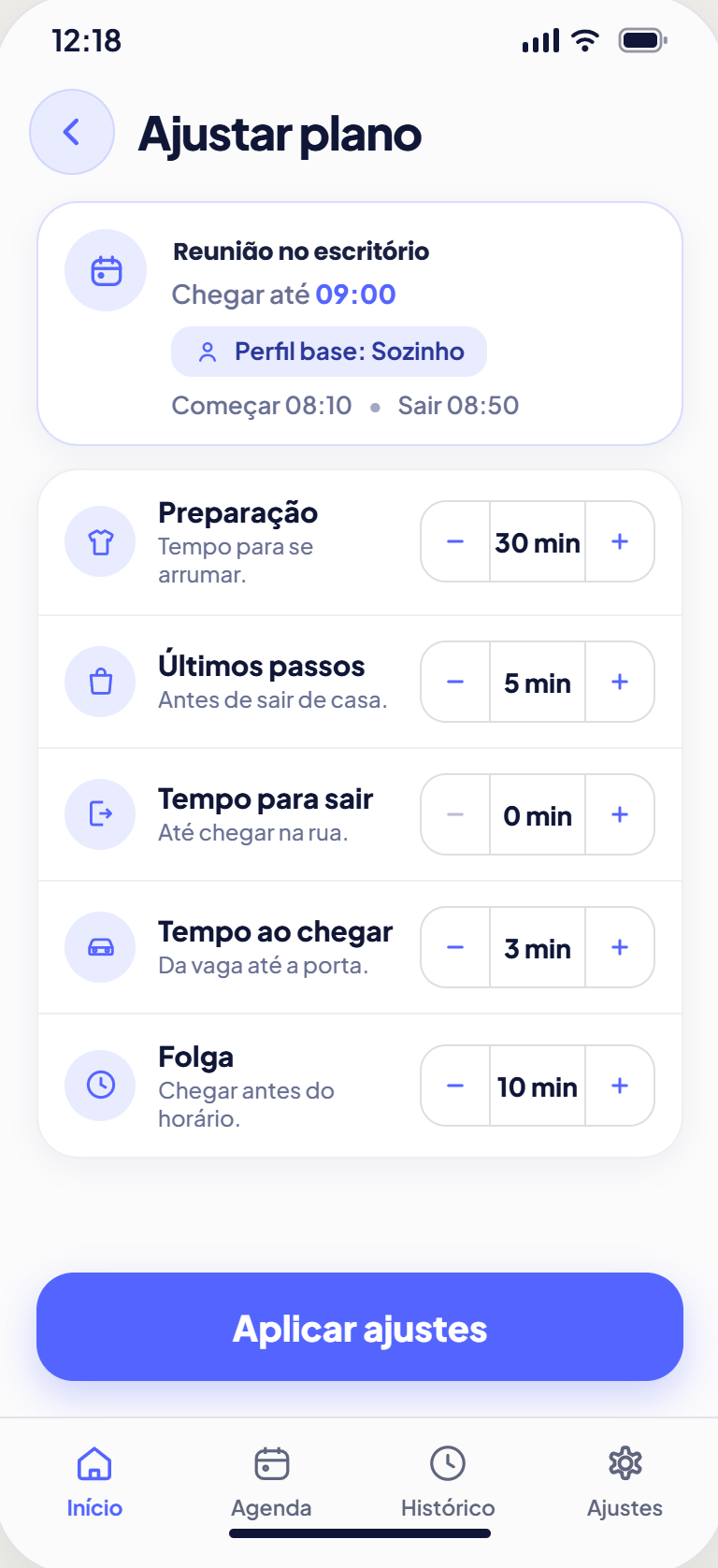
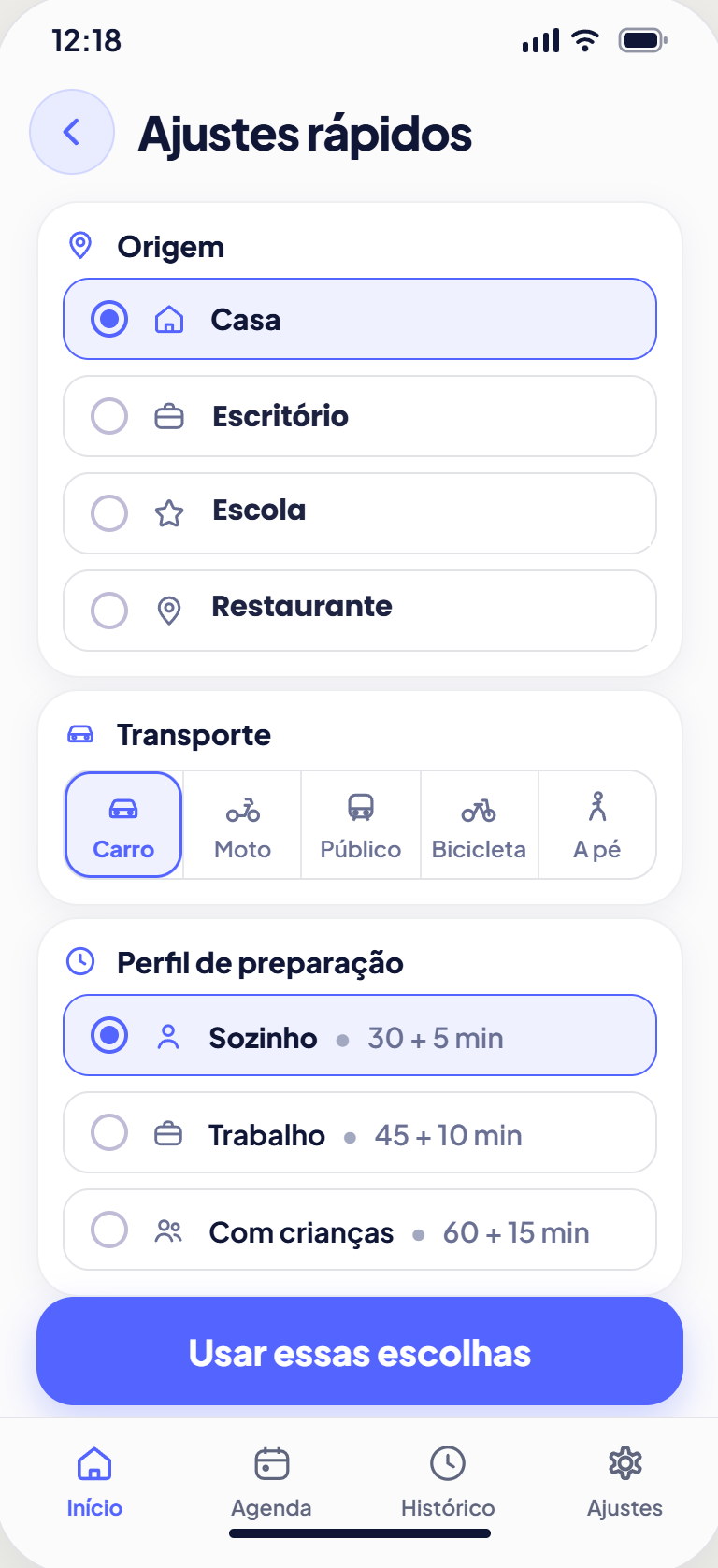
So tell ArriveCalm what your mornings really take. Stretch the getting-ready window, add the last steps before the door, keep the slack you need on arrival — then save it, because next Tuesday looks exactly the same.
“I was ready. My kids weren't.” — that's the gap the plan is built around.
The goal isn't to be early. It's to arrive calm.
No hunting for keys. No apologizing at the door. No starting the drive already tense. You leave on time because you started on time.
One thing it does better than anything else.
Backward preparation planning
Turns an arrival time into a start time — and keeps every step between them honest.
See it before you install it.
Four screens, one departure: create it, see the plan backwards, adjust what your routine really needs, then follow it.
Fair questions.
{{ f.a }}
Stop rushing. Arrive calm.
Your next appointment already has a start time. ArriveCalm helps you find yours.